
Verify the source
Check the web address and installer before opening any wallet setup flow. Avoid unsolicited download links.
Read the guide →A thoughtful approach to digital wallets: understand local keys, back up your recovery phrase, review multi-chain assets and stay alert before every Web3 interaction.
Explore our approach →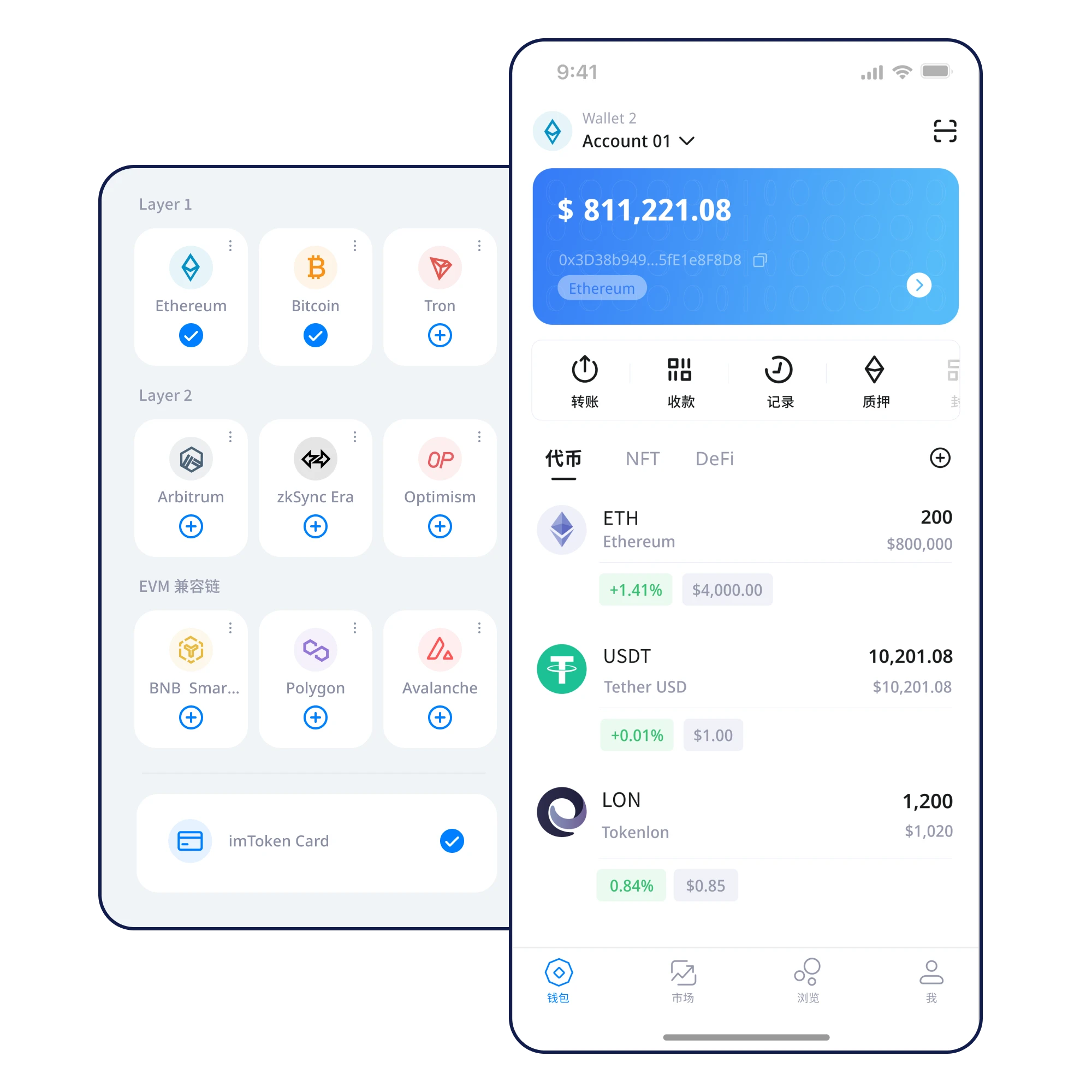
Illustrative total assets
Illustrative total assets
PRODUCT OVERVIEW
A wallet view should make chain context, token details and basic security checks easy to understand. This interface is illustrative and shows no live account data.
Explore asset management ↗THE FIRST SIX STEPS
Each step has a specific check. Complete the foundations before you begin moving funds.
Check the web address and installer before opening any wallet setup flow. Avoid unsolicited download links.
Read the guide →Understand when to create a new wallet and when an existing phrase should be restored.
Read the guide →Write the words down privately, in exact order. Never send a photo or message containing them.
Read the guide →Choose offline storage you can access even when your device fails or needs replacement.
Read the guide →Learn to distinguish assets that exist on different chains, even when their token names match.
Read the guide →Verify the recipient, amount, network and approval scope before sending any transaction.
Read the guide →BUILT ON CLEAR PRINCIPLES
Understand how wallet credentials relate to ownership and why the device environment matters.
Learn more ↗
A recovery phrase is not just a setup screen. Plan for loss, repair and device changes.
Learn more ↗
Check chain, recipient and permission scope before approving a transfer or a Web3 request.
Learn more ↗
SECURITY ARCHITECTURE
Keep your credentials under your own protection.
Review network, address, amount and permissions.
Prepare an offline backup before something goes wrong.
EXPLORE BY TOPIC
Short, structured guides for decisions that matter most.
EVERYDAY SCENARIOS
Token names are not enough. Learn to check the specific chain and contract.
Asset guide ↗
Recipient, network, amount and fees.
⚠️Stop before giving away a signature or phrase.
RECOGNIZE · CHECK · RESPOND
The safest response to pressure or unclear instructions is often to pause.
FAQ
Self-custody means users control their credentials. Verify how this works in the specific product version rather than assuming a feature is available.
Viewing current chain state and broadcasting transactions normally require connectivity; sensitive backups should remain offline.
Write it down offline in the correct order. Never take cloud-synced photos or share it with anyone.
A private key authorizes actions for an address, while a recovery phrase commonly derives or restores keys. An app passcode is different from both.
NEXT STEP
Check your source, protect your recovery phrase, and review each transfer carefully.
⬇ Download Now